Rudra

Vedic astrology · fully offline

The stars, calculated on your phone.

Rudra is a complete Vedic astrology app for Android: Janam Kundli, KP system, horoscope, panchang, kundli matching and Ask Rudra, your offline astrologer. In English and हिन्दी.

Coming soon onGoogle Play How Rudra keeps your data private
  • No internet permission
  • No account
  • No ads
  • English & हिन्दी
  • Android 8.0+
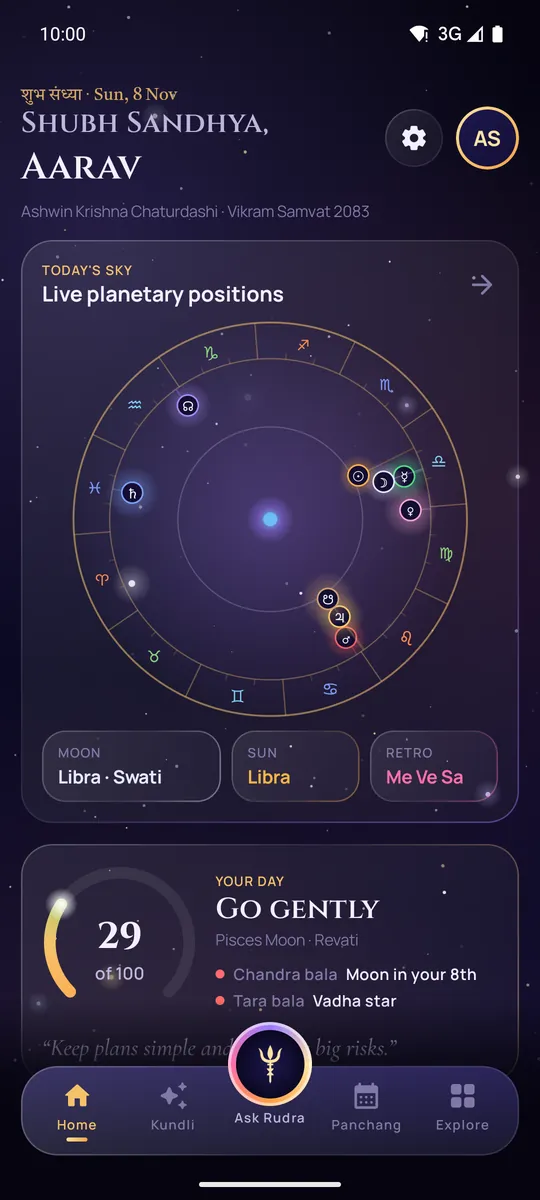
Rudra's home screen with live planetary positions on a zodiac wheel and today's day score
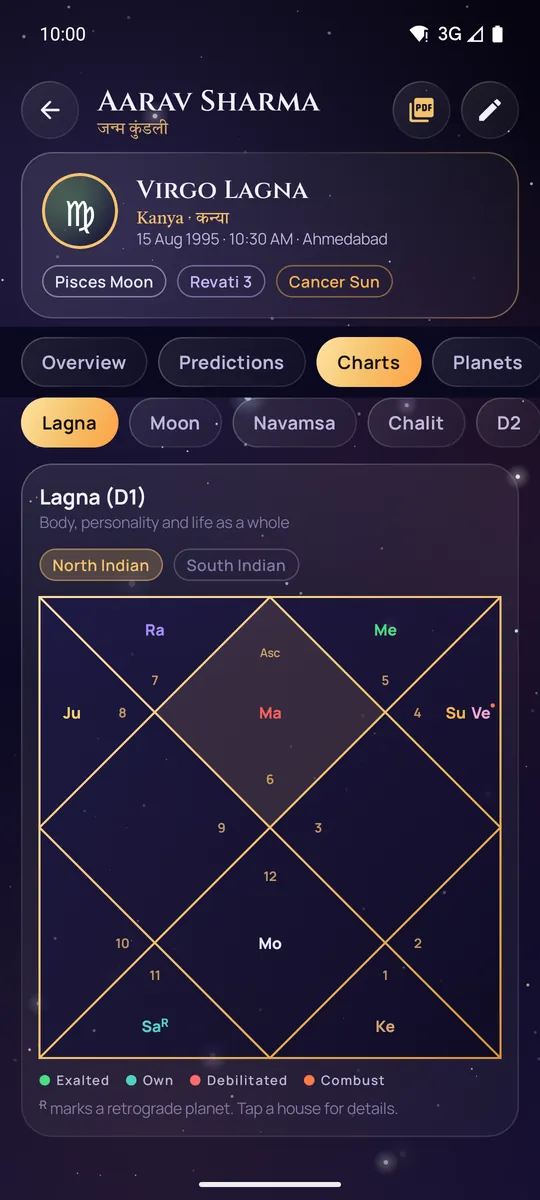
A North Indian style Lagna chart in Rudra

Everything in one app

A full astrologer's toolkit, without the internet

From your birth chart to today's Rahu Kaal, every calculation runs on your phone, so Rudra works anywhere, even in flight mode.

Ask Rudra, your offline astrologer

Ask about career, marriage, money, health or timing. A rule-based engine (not a generative AI model) reads your own chart, including houses, lords, Vimshottari dashas, Jupiter and Saturn transits, yogas and doshas, and answers in seconds with timing windows and remedies.

Complete Janam Kundli

Lagna, Moon, Navamsa and Bhava Chalit charts plus 16 divisional charts, in North or South Indian style. Nakshatra and pada, dignity, retrograde and combust; Mahadasha to Pratyantar; Ashtakavarga; 20+ yogas; Manglik, Kaal Sarp, Pitra and Sade Sati checks; and a PDF report in English or Hindi.

KP system

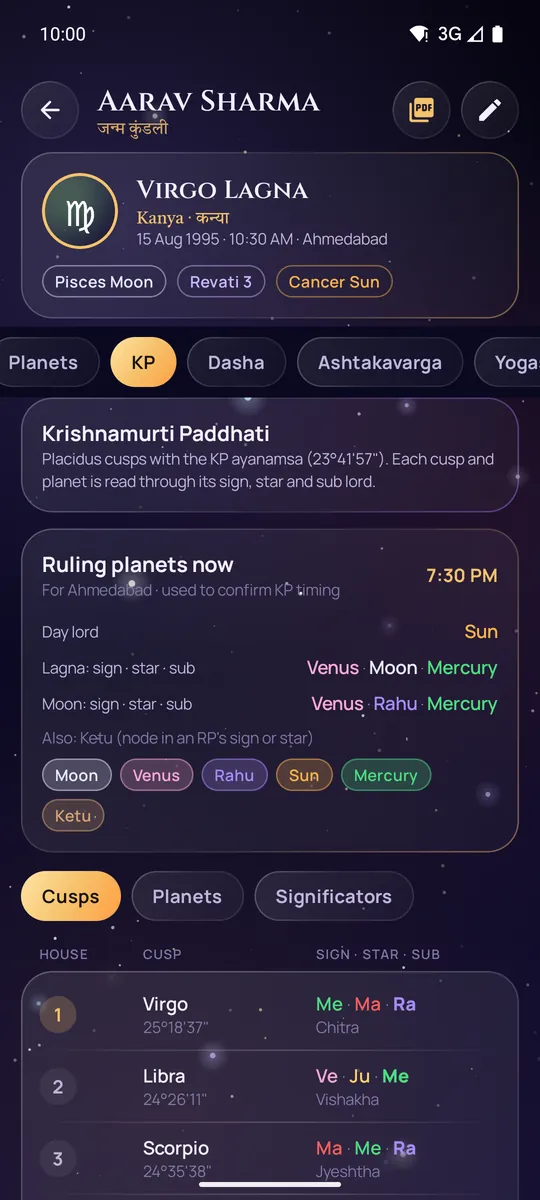
Placidus cusps with the KP ayanamsa, sign, star and sub lords for every cusp and planet, four-level house significators and live ruling planets.

Daily to yearly horoscope

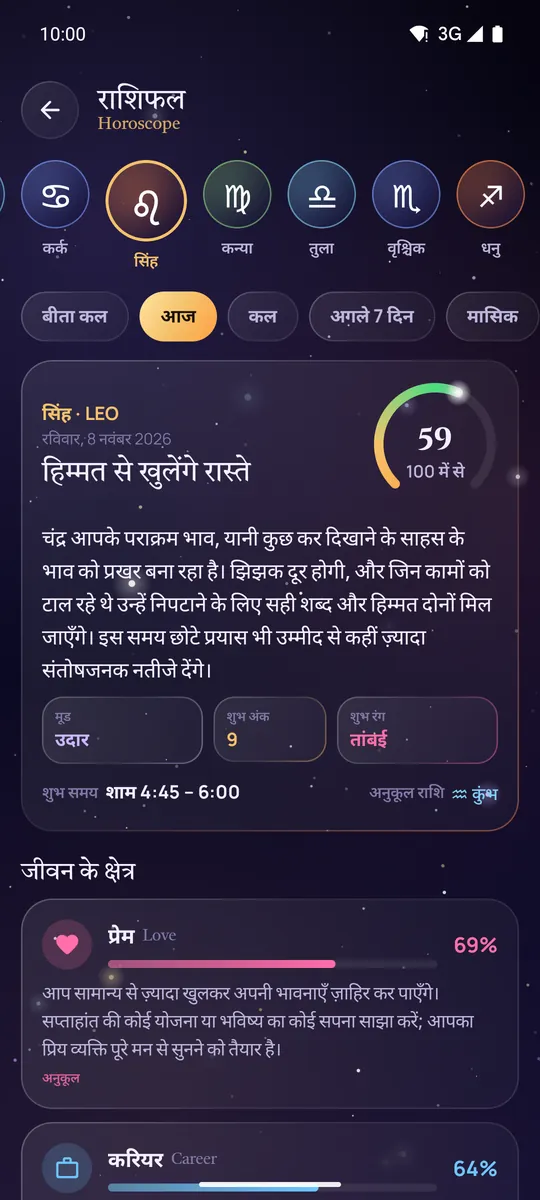
Rashifal from real planetary transits for all 12 Moon signs, with love, career, money and health meters, in English or Hindi.

Panchang, festivals and muhurat

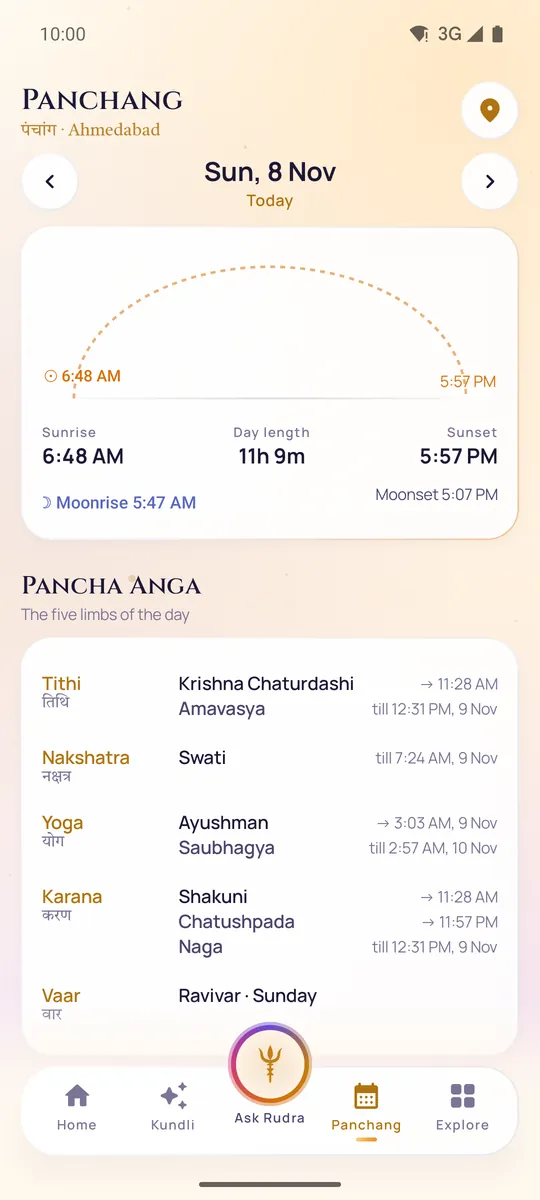
Tithi, nakshatra, yoga and karana with end times, sunrise, Rahu Kaal, Choghadiya, Hora, Abhijit and Brahma Muhurta. A festival and vrat calendar, and an auspicious-date finder for marriage, griha pravesh, vehicles and property.

Kundli matching

Ashtakoot Guna Milan (36 gunas) with every koota explained, Nadi and Bhakoot cancellations, Manglik compatibility, and match by name.

Reminders and widget

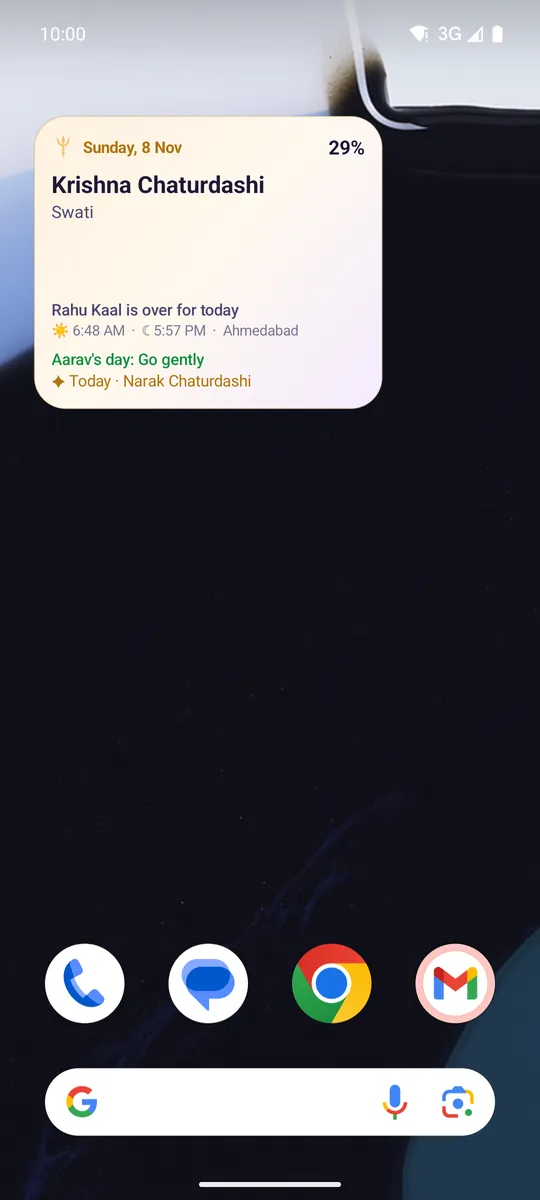
A morning summary with your day score and panchang, a Rahu Kaal heads-up, festival and vrat reminders, and a "Rudra · Today" home-screen widget.

And more

Tarot (78 cards, 6 spreads), numerology with the Lo Shu grid, remedies, today's sky with retrogrades and eclipses, a 108-bead jaap counter, a Learn Jyotish encyclopedia, and Night or Dawn themes.
A look inside

Designed like the night sky

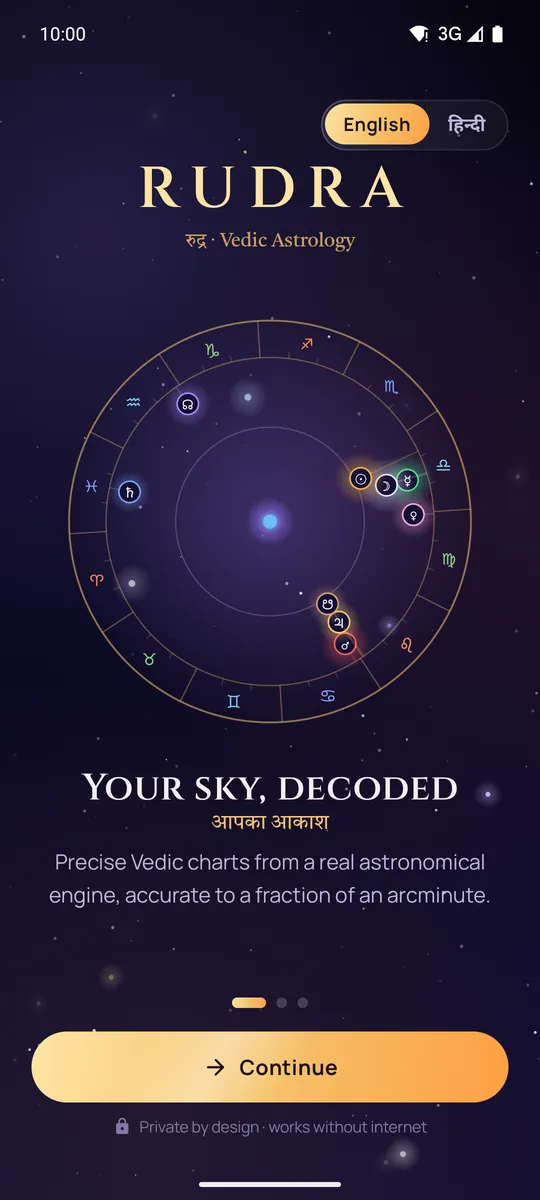
  • Welcome screen with an English or Hindi language switch and a zodiac wheel
    Welcome
  • Home screen with live planetary positions and today's day score
    Your day at a glance
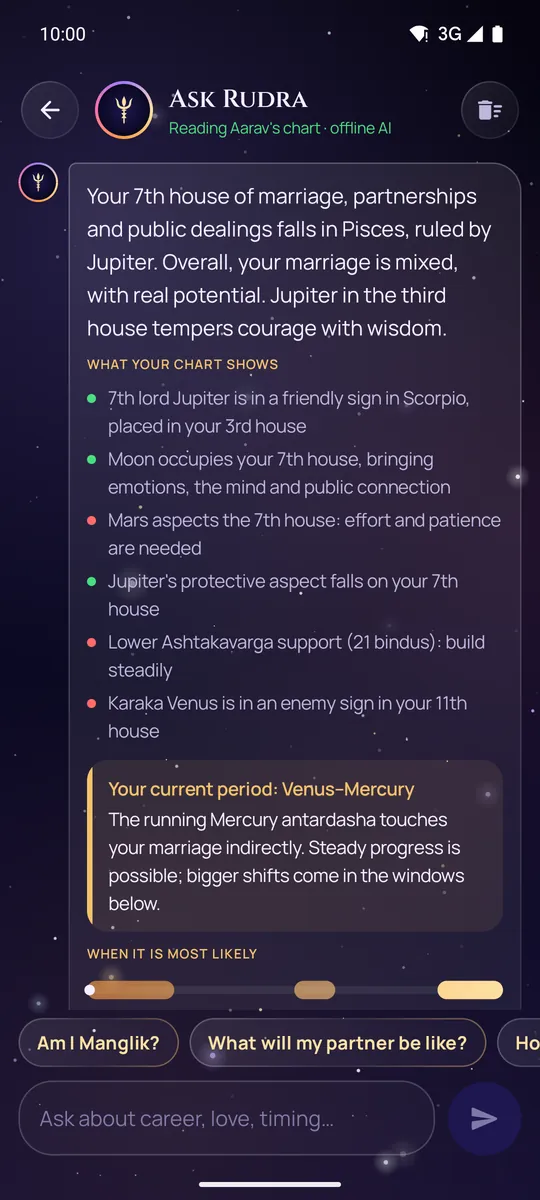
  • Ask Rudra explaining the 7th house of marriage and the current dasha period
    Ask Rudra
  • Lagna chart in North Indian style with planet positions
    Janam Kundli
  • KP system table of cusps with sign, star and sub lords
    KP system
  • Daily rashifal in Hindi with love, career, money and health meters
    Rashifal in Hindi
  • Panchang with sunrise, sunset and the five limbs of the day, in the light Dawn theme
    Panchang, Dawn theme
  • The Rudra Today widget on an Android home screen
    Home-screen widget

Swipe or scroll sideways to see all eight screens.

Private by design

Your birth details are nobody else's business

Many astrology apps send your birth date, time and place to a server. Rudra doesn't have one.

Read the full privacy policy

  • Calculated on your phoneCharts, horoscopes, panchang, matching and Ask Rudra's answers are all computed on the device.
  • No internet permissionThe app doesn't request Android's Internet permission, so it can't send anything over the network.
  • No account, ads, analytics or crash reportingThere is nothing to sign up for and no tracking of any kind.
  • Your backup, your choiceIf you turn on Android backup, Android can include Rudra's saved kundlis in your own Google account backup. You can switch that off in Android settings.

Accurate calculations

A real astronomical engine

Rudra's planetary positions are checked against the Swiss Ephemeris, the reference professional astrologers use, at 48 random moments from 1900 to 2050 around the world.

Planets, worst case
0.2′
Moon, worst case
0.15′
Lagna, worst case
0.003′
Sunrise
< 30 s

′ = arcminute (1/60 of a degree). Lahiri, KP and Raman ayanamsa; mean or true Rahu; North or South Indian charts.

Early access

Be one of the first to try Rudra

Rudra is getting ready for Google Play. To test it before launch, email [CONTACT EMAIL] with the Google account you use on your Android phone, and you'll get an invite through Google Play. Please keep the app installed for at least two weeks: it helps Rudra reach the store.

Help

Questions and answers

Is Rudra free?

Yes. There are no ads, no in-app purchases and no subscription.

Does Rudra need the internet?

No. Rudra doesn't even request the Internet permission. Everything, including Ask Rudra, is calculated on your phone, so it works in flight mode.

Is Ask Rudra an AI chatbot?

Ask Rudra is a rule-based astrology engine, not a generative AI model. It reads your chart with classical Jyotish rules (houses, lords, dashas, transits, yogas and doshas) and builds its answer from Rudra's own written interpretations. Your question never leaves your phone.

Where is my data, and how do I delete it?

Your kundlis, chats and settings are stored only in the app's private storage on your phone. If Android backup is on, Android may include them in your own Google account backup.

To delete them: remove a kundli in the app, use "Clear chat" in Ask Rudra, or uninstall the app (or go to Android Settings → Apps → Rudra → Storage → Clear storage).

Why did a reminder arrive late, or not at all?

To save battery, Android delays alarms while the phone is in deep sleep. A Rahu Kaal heads-up can arrive a little late, and it's skipped if Rahu Kaal has already ended.

If the app is force-stopped, or a phone's battery optimizer stops it, its reminders are cleared until you open Rudra again. On phones with aggressive battery savers, allow Rudra to run in the background (Settings → Apps → Rudra → Battery).

Which phones does Rudra work on?

Android 8.0 and later. The app is designed for phones and also works on tablets.

Which ayanamsa and chart styles are available?

Lahiri (Chitrapaksha), KP and Raman ayanamsa; mean or true Rahu; North or South Indian charts. Change them in Settings.

I found a mistake, or the Hindi could be better.

Please write to [CONTACT EMAIL]. Tell us the screen and what you expected.